
CDN + ILRuntime
CDN + ILRuntime
同市面上的其他热更方案相比,ILRuntime主要有以下优点:
- 无缝访问C#工程的现成代码,无需额外抽象脚本API。
- 直接使用VS2015进行开发,ILRuntime的解译引擎支持.Net 4.6编译的DLL。
- 执行效率是L#的10-20倍。
- 选择性的CLR绑定使跨域调用更快速,绑定后跨域调用的性能能达到slua的2倍左右(从脚本调用GameObject之类的接口)。
- 支持跨域继承。
- 完整的泛型支持。
- 拥有Visual Studio的调试插件,可以实现真机源码级调试。支持Visual Studio 2015 Update3、Visual Studio 2017、Visual Studio 2019和Visual Studio 2022。
- 支持VS Code源码级调试,支持Mac OSX。
- 最新的2.0版引入的寄存器模式将数学运算性能进行了大幅优化。
UOS CDN + ILRuntime 使用示例
核心思路是通过 UOS CDN 的 release / badge 功能,手动控制 dll 文件的版本更新。
样例为单个 dll 文件的更新流程, 样例中每次均会下载远程的 dll 文件,可自行判断远程文件是否更新再下载。
1. 创建和上传资源
首先创建一个空的 Unity Project,新建一个C#工程,参考 ILRuntime教程参考 ,用于生成热更新使用的dll文件 HotFix_Project.dll(内容可参考 InstanceClass.cs),上传到 UOS CDN 的 Bucket里: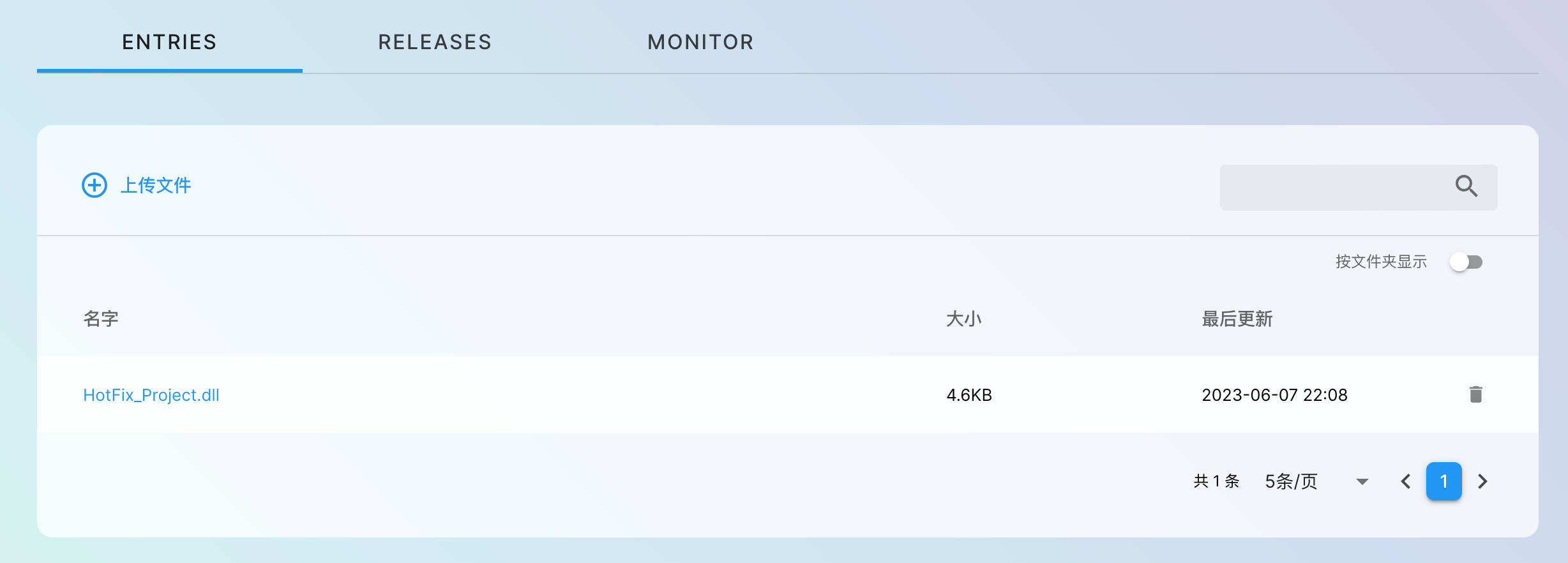
2. 创建新的发布版本
创建新的发布版本 "Release #1",创建并分配 Badge "v1.0.0",在 「RELEASES」 页面,复制以 Badge 为前缀的 URL,记为 UOS CDN URL
3. 配置
将UOS CDN URL填入样例代码内容可参考下方的 HelloWorld.cs),执行客户端,即可测试修改前的代码逻辑:
4. 更新流程
修改InstanceClass.cs文件内容,重新打包dll上传,创建新的发布版本 "Release #2",将 Badge "v1.0.0" 指向 "Release #2"。
此时运行客户端,可以看见会执行修改后的代码逻辑(由于缓存,这里可能会有约一分钟的延迟才生效)。
至此,您已经完成了 UOS 与 ILRuntime 的搭配操作,期待您在后续的探索中有更多的发现。
示例代码
1. InstanceClass.cs
namespace HotFix_Project
{
    public class InstanceClass
    {
        private int id;

        public InstanceClass()
        {
            UnityEngine.Debug.Log("!!! InstanceClass::InstanceClass()");
            this.id = 0;
        }

        public InstanceClass(int id)
        {
            UnityEngine.Debug.Log("!!! InstanceClass::InstanceClass() id = " + id);
            this.id = id;
        }

        public int ID
        {
            get { return id; }
        }

        // static method
        public static void StaticFunTest()
        {
            UnityEngine.Debug.Log("Hotfix v1 : Execute HotFix_Project::InstanceClass.StaticFunTest()");
        }
    }
}
2. HelloWorld.cs
public class HelloWorld : MonoBehaviour
{

    private const string uos_cdn_prefix = {UOS CDN URL};

    AppDomain appdomain;
    System.IO.MemoryStream fs;

    void Start()
    {
        StartCoroutine(LoadHotFixAssembly());
    }

    IEnumerator LoadHotFixAssembly()
    {
        appdomain = new ILRuntime.Runtime.Enviorment.AppDomain();

        WWW www = new WWW(uos_cdn_prefix + "HotFix_Project.dll");

        while (!www.isDone)
            yield return null;
        if (!string.IsNullOrEmpty(www.error))
            UnityEngine.Debug.LogError(www.error);
        byte[] dll = www.bytes;
        www.Dispose();

        fs = new MemoryStream(dll);
        try
        {
            appdomain.LoadAssembly(fs, null, new ILRuntime.Mono.Cecil.Pdb.PdbReaderProvider());
        }
        catch
        {
            Debug.LogError("加载热更DLL失败,请确保已经通过VS打开Assets/Samples/ILRuntime/1.6/Demo/HotFix_Project/HotFix_Project.sln编译过热更DLL");
        }

        InitializeILRuntime();
        OnHotFixLoaded();
    }

    void InitializeILRuntime()
    {
#if DEBUG && (UNITY_EDITOR || UNITY_ANDROID || UNITY_IPHONE)
        //由于Unity的Profiler接口只允许在主线程使用,为了避免出异常,需要告诉ILRuntime主线程的线程ID才能正确将函数运行耗时报告给Profiler
        appdomain.UnityMainThreadID = System.Threading.Thread.CurrentThread.ManagedThreadId;
#endif
    }

    void OnHotFixLoaded()
    {
        appdomain.Invoke("HotFix_Project.InstanceClass", "StaticFunTest", null, null);
    }

    private void OnDestroy()
    {
        if (fs != null)
            fs.Close();
        fs = null;
    }

    void Update()
    {

    }
}